
Everything your store runs on, in one subscription
SYD POS is not a stripped-down starter plan. Selling, stock, branches, credit, reports and staff controls are all included — on the tablet at the counter and in the browser back office.
All your store needs, in eight parts
Turn what you need on per store. The price stays the same either way.
Selling and checkout
Fast, forgiving and offline-ready — so the line keeps moving.
- Product grid and search, with a rewards catalog for loyalty redemptions
- Camera barcode scanning or an external scanner, detected automatically
- Pack sizes and bundle pricing such as 3 for ₱100
- Items sold by weight or by amount, with the display unit switchable
- Automatic promotions plus order-level discounts with limits and expiry
- VAT from your templates, allocated cent-exact on every line
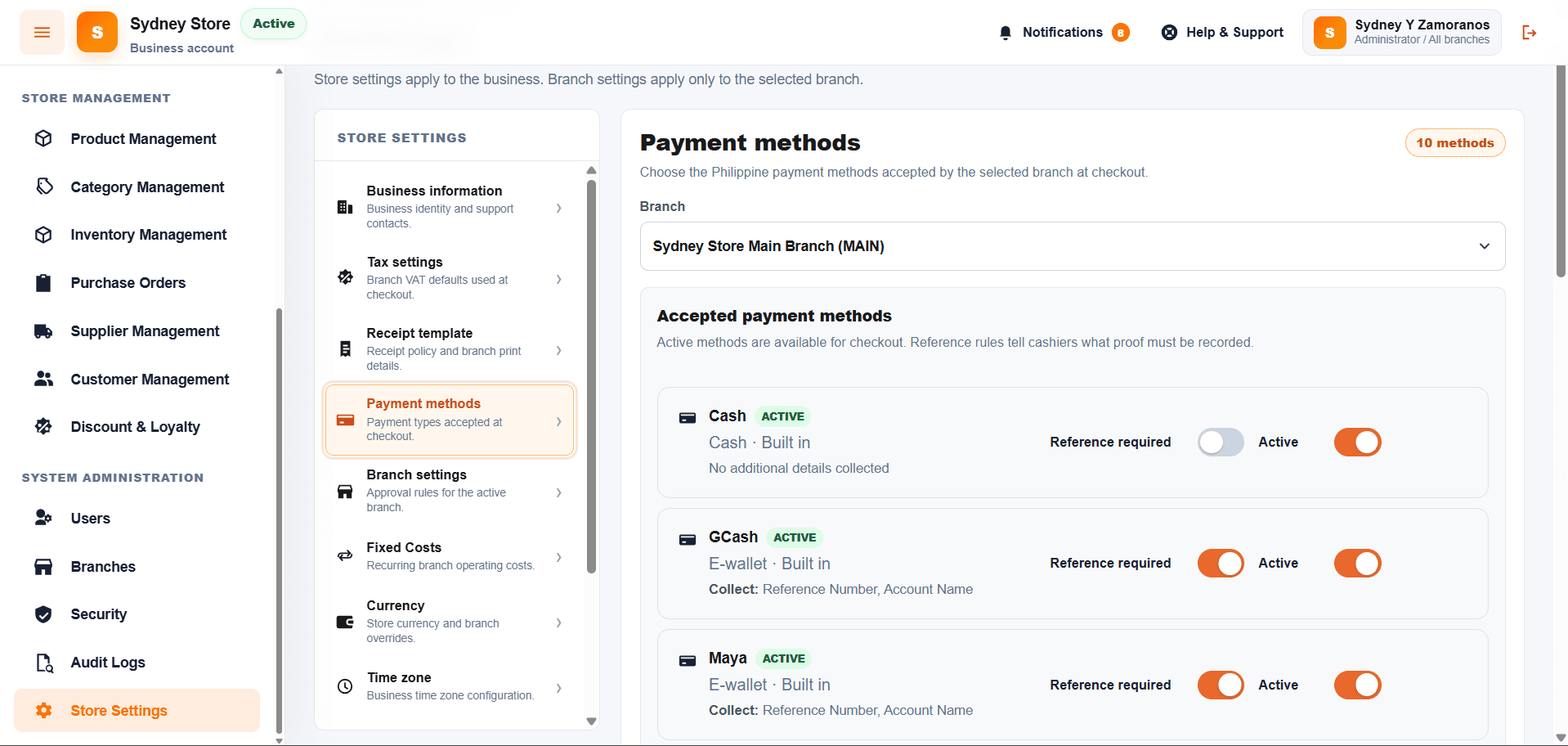
- Cash, card, GCash or QR with reference, store credit, and split payments
- Charge the balance to credit, with agreement and ID photo on the spot
- Hold and resume orders, void with manager approval, exact-cash button
Cash drawer and shifts
Know exactly who held the drawer and whether it balanced.
- Open a session with a starting float and an assigned cashier
- Cash in, paid in, cash out, paid out and cash drops
- Excess and low cash alerts with a prompt to make a drop
- Close with a denomination count showing balanced, over or short
- Post-close adjustments and a printed closing report
- Drawer activity log and reports by cashier, branch, terminal and date
Products and inventory
One catalog, accurate counts, no more guessing what's left.
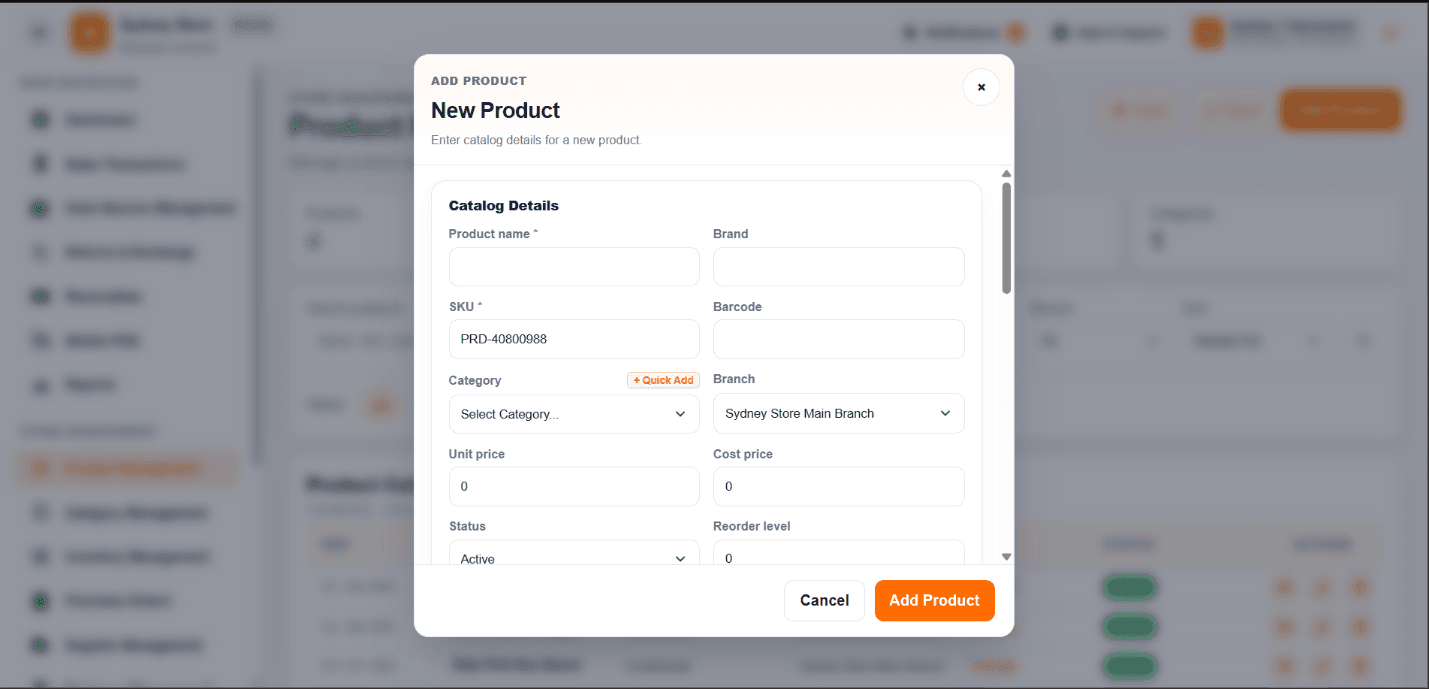
- Add, edit, duplicate, disable and restore products; SKUs generated for you
- Categories, per-branch prices, pack sizes and batches
- CSV and Excel import with a preview and error report, plus export
- Stock per branch with low-stock and out-of-stock filters
- Stock in, stock out and adjustments with preset reasons
- Batch and expiry tracking, with an expiring-soon flag
- Movement history by type: stock in, out, adjustment, sale and return
- Unit conversion — 1 box = 24 pieces — between restock and selling units
Transfers, purchasing and suppliers
Move stock where it sells and reorder before you run out.
- Inter-branch stock transfers with a slip both branches can see
- Supplier directory with reliability score, terms and outstanding balance
- Each supplier's own catalog, linked to your products
- Purchase orders: draft, submit, edit, cancel with a note
- Receiving per line with batch numbers and expiry dates
- Order messages sent to suppliers, and reorder alerts to managers
- Promo bonus items, shipping fees, other charges, discount and tax
Customers, credit and loyalty
Lend with a record, and give your best buyers a reason to return.
- Customer registry with home branch, status and contact details
- One workspace per customer: purchases, returns, points and credits
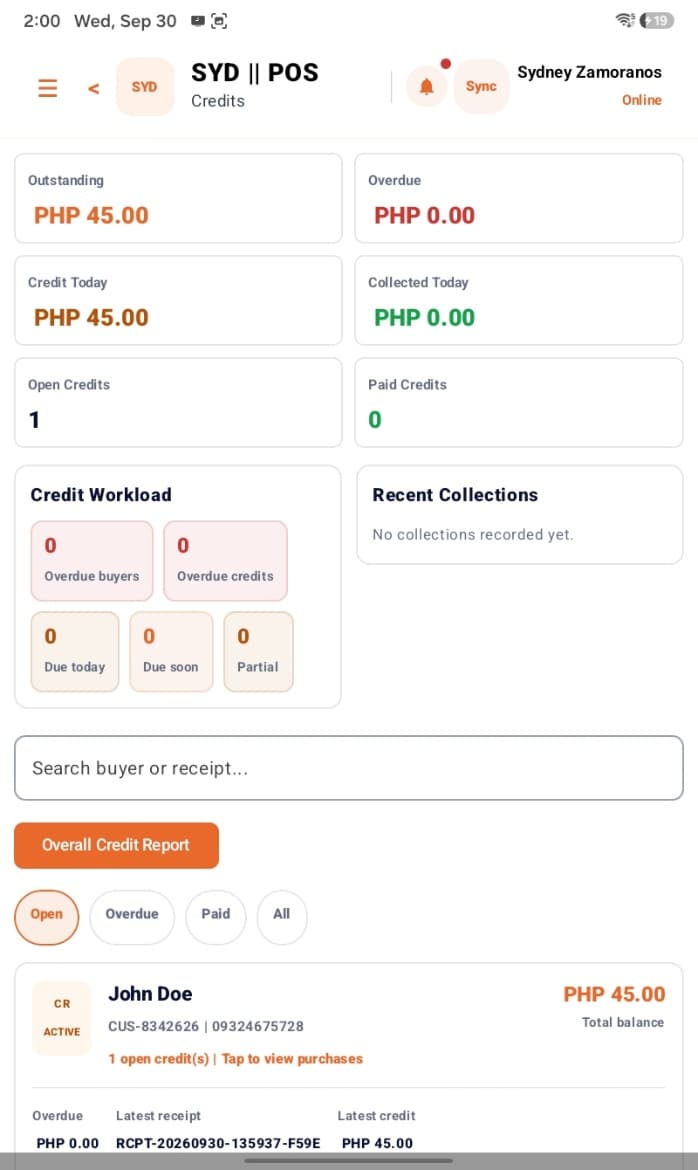
- Credit and installments with due dates, collections and payment history
- Buyer ID type and number, cashier verification and signature capture
- Loyalty earn rate, reward catalog, member status and manual adjustments
- Discount rules with code, scope, date window, usage limit and approval
Returns and refunds
Handle a return in a minute without breaking your stock count.
- Find the original sale by receipt number with type-ahead suggestions
- Choose the returned quantity per line, with reason and item condition
- Disposition: inspect, restock, write off or send back to the supplier
- Manager approval, with a direct path into an exchange
- Supplier returns from a received purchase order
- Refunds by cash, GCash, Maya, QR, card, store credit or bank transfer
Reports and analytics
Consolidated numbers across every branch, updated as shifts run.
- Today's sales, transaction count, average ticket and sales trend
- Daily sales summary, end of day, cashier performance, payment breakdown
- Gross profit, net profit and P&L with fixed costs recognised
- VAT summary, discount audit and cash drawer reconciliation
- Stock levels, low stock, inventory movement and product valuation
- Branch comparison, top sellers and saved report setups
- Export to PDF, Excel, CSV or PNG, or print
Staff controls and security
Give each person exactly the access they need — nothing more.
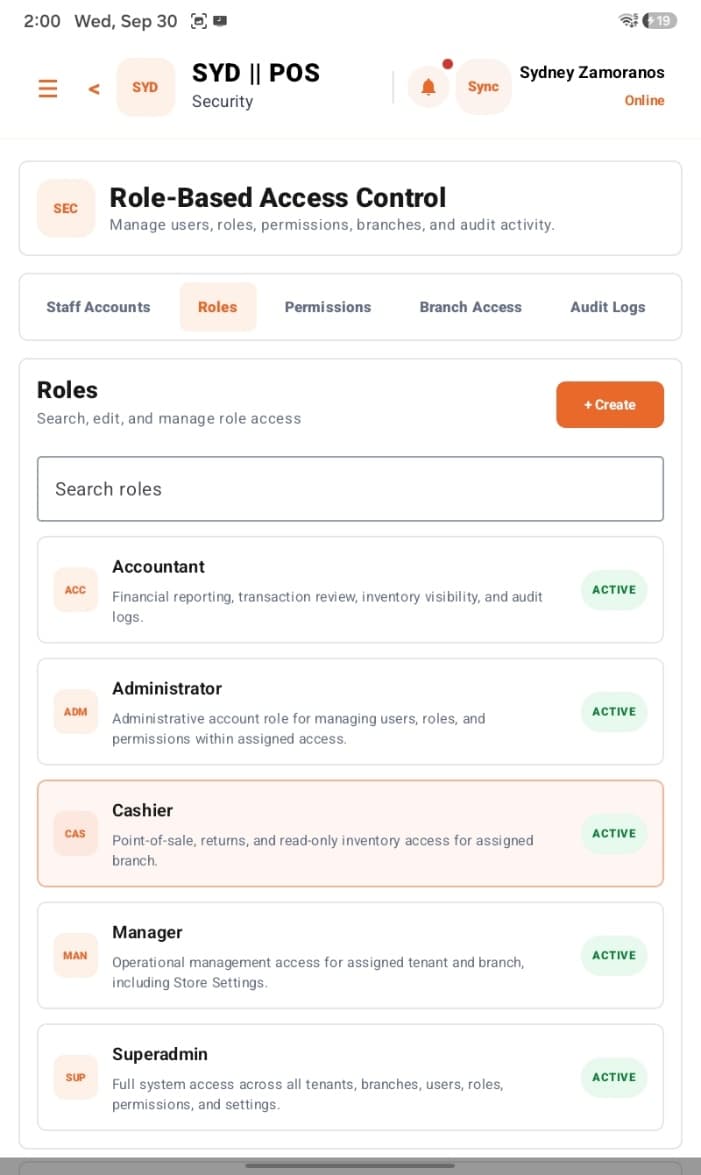
- Roles with per-module permissions and branch access per user
- Manager override for protected actions at the counter
- Terminal registry with status, heartbeat, remote logout and lock
- Approvals queue with in-app notifications for managers
- Audit trail for security, admin and sync events, with export
- Store settings: currency, timezone, tax templates, receipt template
- BIR receipt fields: TIN, PTU, MIN, serial number, branch code, validity
- Backups and restore, plus bulk settings applied across branches
A few of these screens, for real
Credit tracking and staff access on the tablet; product setup and payment methods in the browser.
Ready to see it on your counter?
Book a walkthrough and we'll set up a sample store with your products, branches and receipt details.